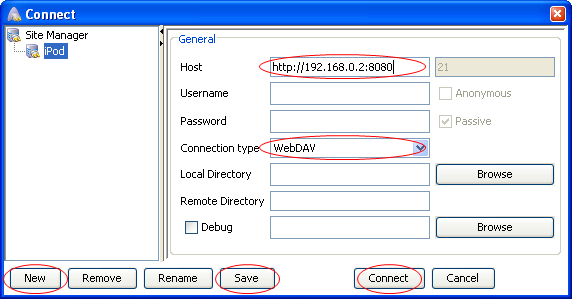
Connecting With Other WebDAV Software
Here's some brief information detailing the other WebDAV software available on each operating system, and how to set them up correctly. If you find another tool that's not mentioned here, feel free to leave a comment at the bottom of this page.
Cyberduck (OS X)
Cyberduck is a free FTP and WebDAV client for Mac OS X, and should work with TouchFS if the standard Finder connection is not working for you.
You can read about and download Cyberduck at http://cyberduck.ch/.

To make things easier at first, turn the authentication OFF in the options screen.

Launch Cyberduck, and click the Open Connection toolbar button. In the sheet that slides out, configure a connection using this screenshot as a guide. Choose WebDAV from the Protocol dropdown, and enter the IP address and port number in the Server and Port fields. The values to use are shown in the TouchFS Options screen. Then, check the Anonymous login checkbox and click Connect.

TouchFS will then prompt you to allow the incoming connection. Tap Yes to allow Cyberduck to connect.

Once connected successfully, Cyberduck will display the files stored on your iPhone via TouchFS. You can drag and drop files from the Finder to upload new files, and can delete/rename/move/copy files from within the Cyberduck window.
AnyClient (Windows XP & Vista)